Why This Is Superior to a Standard SLS Click Question
Standard SLS question types are useful for quick checks of understanding, but some learning ideas need more than a click-and-click interaction. Sorting activities are a good example. When students need to compare ideas, move examples into categories, revise their thinking, and receive targeted feedback, a custom HTML5 interactive can make the learning much richer.
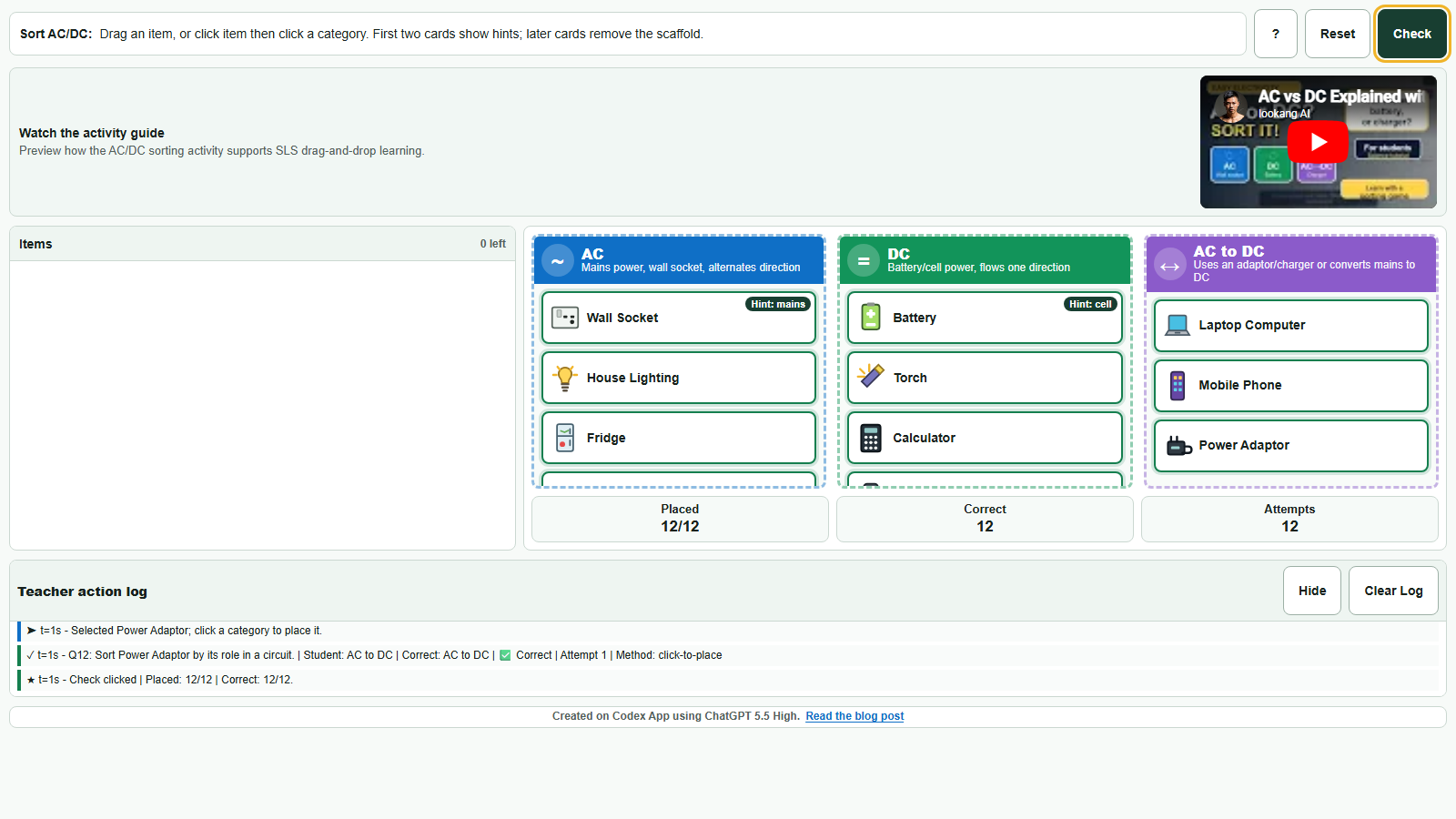
This AC/DC sorting activity was created with Codex App as a single offline HTML file for SLS. Students sort everyday objects into AC, DC, or AC-to-DC categories using drag-and-drop, tap-to-place, mouse, touch, or keyboard controls.
Standard SLS Click Question
- Captures mostly the final answer.
- Hard to show sorting, moving, and revision.
- Limited visibility into the student's thinking path.
Codex-Created Interactive
- Students manipulate examples directly.
- Feedback appears after each placement.
- Teacher analytics reveal attempts and misconceptions.
What Students Learn Better
The activity is not just about labelling items. It helps students distinguish between:
This matters because students often think, "If it plugs into the wall, it must be AC." The activity makes that misconception visible. A phone or laptop may be charged from an AC wall socket, but the device itself uses DC after conversion by an adaptor or charger.
Why Codex App Makes This Possible
Creating this kind of interactive by hand would normally require a lot of web-development knowledge: responsive layout, touch events, drag-and-drop logic, keyboard accessibility, feedback tooltips, and analytics logging.
With Codex App, the teacher can describe the learning activity in natural language, including SLS constraints, mobile requirements, smartboard requirements, and pedagogy. Codex then helps create the working HTML, CSS, and JavaScript in the correct folder.
index.html file with no external libraries.The Teacher Benefit
The biggest improvement is not just that the activity looks more interactive. It changes what the teacher can observe.
Instead of only seeing whether a student got a final answer correct, the teacher can see which item was selected, which category was chosen, whether the attempt was correct, how many attempts were made, and which misconceptions appeared.
Why It Fits SLS Well
The activity is designed for SLS deployment: it is a single self-contained HTML file, works without external JavaScript libraries, fits inside an iframe, supports mouse/touch/smartboard input, and keeps instructions and feedback visible in a compact classroom interface.
Conclusion
Codex App allows teachers to turn a teaching idea into a working interactive activity quickly. For concepts like AC and DC, where students benefit from sorting, comparing, correcting, and explaining, a custom drag-and-drop activity is far more powerful than a standard click question.
The result is not just a prettier question. It is a more diagnostic, more inclusive, and more active learning experience.