Teacher Demonstration
Use the live model as a shared screen demonstration before students try their own predictions and observations.
Open Components Vector Model, an interactive HTML5 learning activity for Measurement.
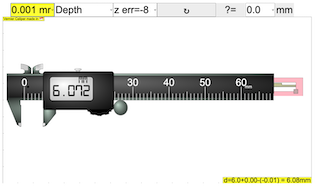
Use the live model as a shared screen demonstration before students try their own predictions and observations.
Open the simulation, adjust the controls, and compare what changes on screen before answering the concept-check questions.
How is velocity changing, and what evidence shows the acceleration?
Define the direction used for positive velocity and acceleration.
Observe how velocity changes over equal time intervals.
Use a velocity-time graph or numerical display to infer acceleration.
Decide whether acceleration is in the same or opposite direction as velocity.
Use this to separate the everyday word acceleration from the physics idea of velocity change. Students should look for change in velocity, not simply high speed.
Ask: Can an object be moving fast with zero acceleration? Can acceleration be negative while the object still moves forward? What does a steeper velocity-time slope mean?
Use paired cases: constant velocity versus increasing velocity, then increasing velocity versus decreasing velocity.
These questions are generated from the topic and the concept illustrated by the simulation. Use them after students have explored the model.
Correct first attempts build a streak and unlock higher point multipliers on this device.
1. What is acceleration?
2. What does a steeper velocity-time slope mean?
3. Can an object move with constant speed and zero acceleration?
4. What can negative acceleration mean?
5. What evidence identifies acceleration?
Anonymous activity counts show that this resource is being discovered and used.